
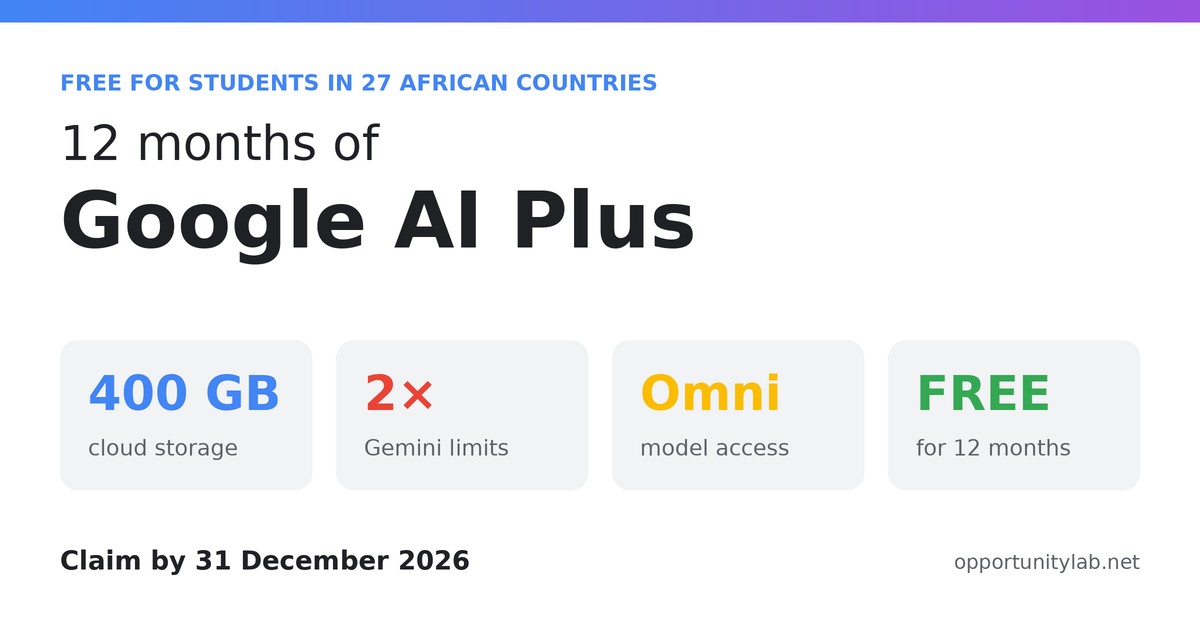
Google is giving eligible university and college students in 27 African countries, including Nigeria, Ghana, Kenya and South Africa, 12 months of Google AI Plus for free. The plan includes access to Gemini Omni, double the usage limits in Gemini and 400 GB of cloud storage. You also get Gemini’s student tools for organising notes, making practice quizzes and preparing for exams.
Google announced the offer on its Africa blog on 20 August 2026. According to published reports, it can be claimed until 31 December 2026.
At a Glance
| Offer | Google AI Plus, free for 12 months |
| Who can claim | Eligible university and college students (reported as 18+) in 27 African countries |
| Key benefits | Gemini Omni, 2x Gemini usage limits, 400 GB storage, study tools |
| Verification | Student status check through Google (reportedly via SheerID) |
| Claim by | 31 December 2026 (reported) |
| Cost | Free for 12 months, then paid unless you cancel |
Benefits
Included in Google AI Plus (per Google’s announcement):
- Gemini Omni: access to Google’s advanced Gemini model, including video generation
- 2x higher usage limits in the Gemini app
- 400 GB of cloud storage shared across Google Drive, Gmail and Google Photos
- More study notebooks and sources than the free version
Student tools in Gemini (available to all Gemini users, with higher limits on AI Plus):
- Student hub: one place for study notebooks, flashcards, practice quizzes and deadline tracking
- Study notebooks: upload lecture notes or a syllabus and get lessons, a diagnostic quiz and a progress dashboard. Gemini can also add exam dates to Google Calendar if you allow it.
- Interactive visualisations: 3D simulations and interactive tables to explain difficult concepts
- Deep Research in Gemini Live: multi-step research reports that run in the background
Google also offers students a discounted Google AI and YouTube Premium bundle, at up to 70% off.
Eligible Countries
Google says the offer covers 27 African countries. Its blog post doesn’t list them, but published reports name:
Angola, Benin, Botswana, Burkina Faso, Cabo Verde, Cameroon, Côte d’Ivoire, Gabon, Ghana, Guinea-Bissau, Kenya, Mali, Mauritius, Mozambique, Namibia, Niger, Nigeria, Rwanda, Senegal, Seychelles, Sierra Leone, South Africa, Tanzania, Togo, Uganda, Zambia and Zimbabwe.
Your country is confirmed when you sign up. If the offer page doesn’t show the free plan, it isn’t available in your country yet.
Eligibility
- You must be enrolled at a university or college, which includes higher-education institutions such as polytechnics.
- You must be 18 or older, as reported.
- You must live in one of the eligible African countries.
- You must pass Google’s student verification, for example with your school email or proof of enrolment.
- Students who claimed Google’s 2025 student offer may be able to renew for another 12 months, subject to verifying again.
How to Apply (Claim the Offer)
- Go to Google’s student offer page (link below).
- Sign in with the Google account you want to use. A personal Gmail account is usually best.
- Choose the student offer and verify your student status. Have your school email, student ID or admission or registration letter ready.
- Complete the sign-up. You may be asked for a payment method even though the first 12 months are free.
- Open the Gemini app and start using the student tools.
Claim the free Google AI Plus student offer (official)
Google Africa announcement: “One year of Gemini, on us for students”
Important: Avoid Unexpected Charges
- After 12 months, the plan usually renews at the normal monthly price unless you cancel. Set a reminder about a week before your free year ends.
- You can cancel at any time in your Google One or Google Play subscriptions settings.
- Only claim through Google’s official pages. Never pay anyone or share your password to “unlock” the offer.
Tips to Get the Most from It
- Upload your course outline into a study notebook at the start of the semester.
- Turn past questions into quizzes to prepare for exams.
- Use Gemini Live to talk through topics you find hard.
- Back up your projects to the 400 GB of storage so you don’t lose your work.
- Check your institution’s rules on using AI for assignments, and use it to learn rather than to copy.